Contents
After the RBAC intro, you’ll want opa on your PATH, a handful of CLI commands (run, eval, test, …), and the VS Code extension so you’re not retyping flags.
The opa binary
The CLI moves fast — new builtins and perf fixes land often. Grab a current build:
1 | mac |
Help output:
1 | opa -h |
You don’t need every subcommand on day one. These four cover most daily work.
run — REPL
opa run starts an interactive session — handy for learning and printf-debugging Rego.
1 | opa run quick-start |
You get JSON for everything under data. Two sources:
- Config files (
.json,.yaml,.yml) →data .regomodules (including tests) →data.<package>
Want config under
data.example.fileinstead of the root? Prefix the path:opa run example.file:quick-start— only JSON/YAML paths move; Rego packages stay as declared. Same trick shows up again with bundles.
Feed input via repl.input:<path> so it doesn’t land under data:
1 | $ opa run quick-start repl.input:quick-start/input.json |
-wreloads changed files in the REPL.-sruns a persistent server (REST API).
eval — one-shot queries
opa eval answers a query against a bundle of modules + data.
-d loads policy/data paths, -i sets input, -f picks output format (values, bindings, pretty, source, …).
1 | opa eval -f values -d quick-start -i quick-start/input.json "data.example_rbac" |
Add trace(msg) in the policy and run with --explain=notes:
1 | allow { |
1 | opa eval -f pretty -d quick-start -i quick-start/input.json "data.example_rbac.allow" --explain=notes |
Default --explain also supports full and fails. For timing: --metrics, --instrument, --profile.
deps
See what a query touches — base docs vs virtual docs:
1 | opa deps -d quick-start "data.example_rbac" |
test, check, fmt
opa test— runstest_*rules;-cfor coverage,--thresholdto fail CI under a flooropa check— parse/compile sanityopa fmt— format Rego
vscode-opa
Tired of retyping commands? vscode-opa wraps most of the above.
Point it at your binary:
1 | "opa.path": "/usr/local/bin/opa" |
What you get
- Check syntax on save
- Evaluate package / selection
- Partial evaluate selection
- Trace / profile selection
- Run tests and toggle coverage (workspace or selection)
Evaluate + coverage overlays are the ones I live in.
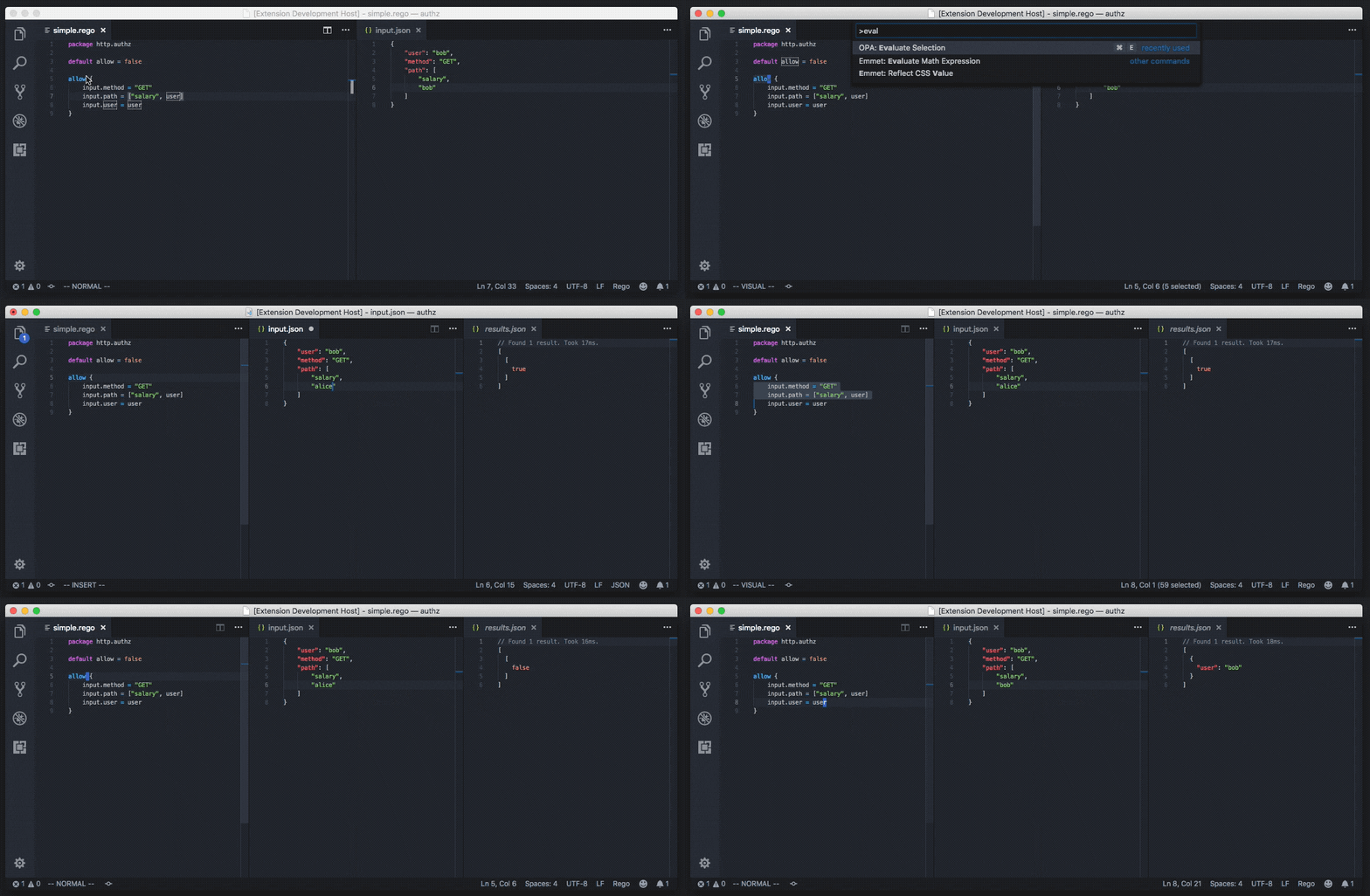
Keybindings (macOS)
Official docs suggest evaluate first; I added test shortcuts too:
1 |
|
By default the extension reads
input.jsonat the workspace root.opa.bundleMode(defaulttrue) loads onlydata.{json|yaml}inside a directory; setfalseto pick up any.json/.yaml.
That’s enough to stay in the editor most days.
Next: functions vs virtual documents — when to use which.
Questions? Leave a comment below or email: newbvirgil@gmail.com