Tips: all for hands-free.
This series is a log of small tricks that save time day to day.
One goal: don’t let repetitive chores numb you — automate when you can.
Today: batch-convert Word (.doc) tables to Excel on a Mac.
Preview:

The first time you pick a folder, macOS asks you to grant access.
Word save-as runs in the background; the GIF doesn’t show each open/save/close cycle, but Word does flash on screen.
Why bother?
I maintain a mini-program whose timetable data ships as .doc files.
That backstory isn’t the point — the point is how to automate this kind of chore.
I couldn’t find a ready-made doc → xlsx pipeline.
Docx and HTML, though, map cleanly to xlsx with Python pandas.
So the real problem is doc → docx/html.
Word has “Save As”; on macOS you can drive that with AppleScript.
Below is the docx path — a quick look at the code.
AppleScript: save doc as docx
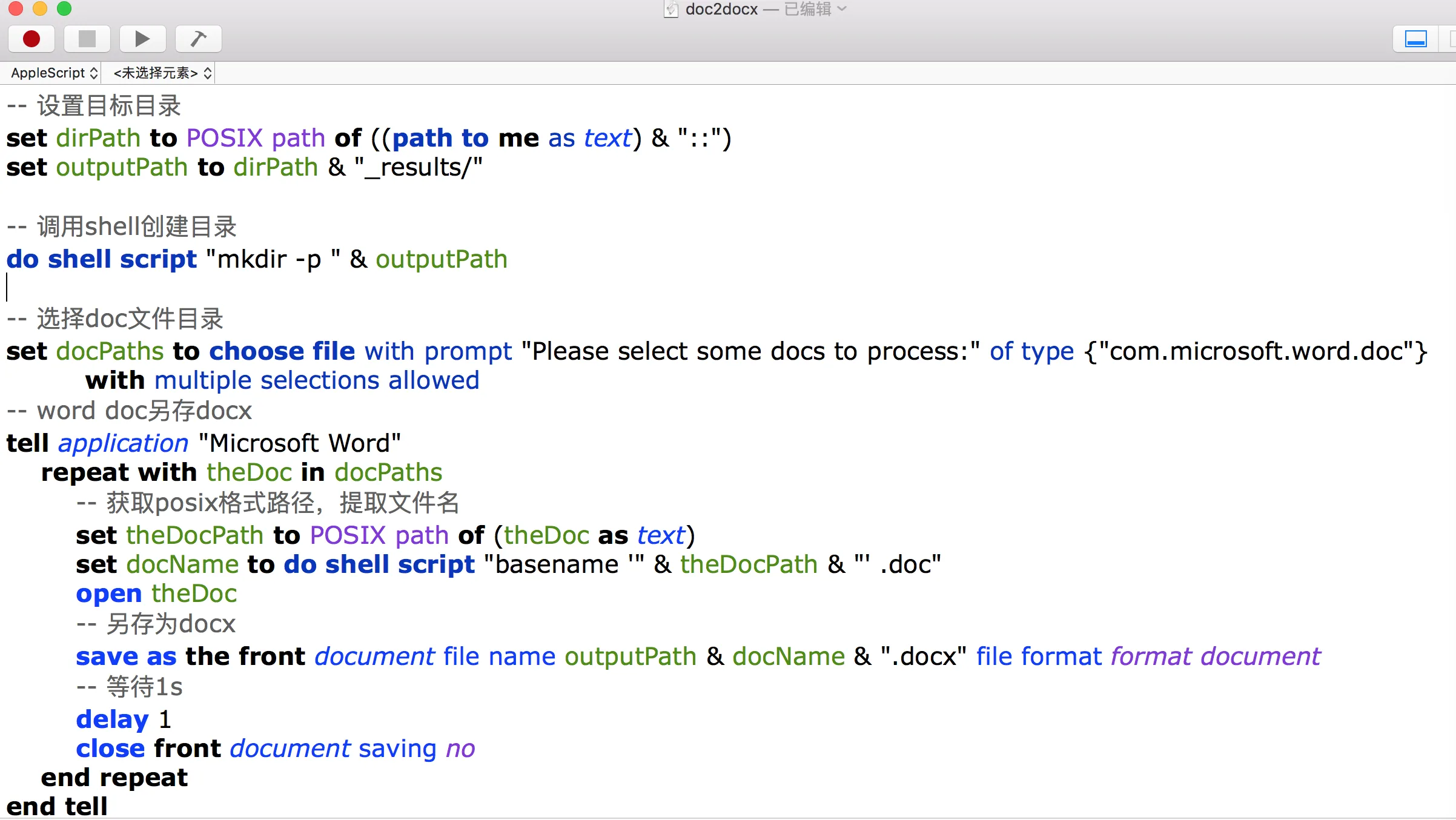
AppleScript reads like plain intent: pick a file with choose file,
talk to the app with tell application "Microsoft Word",
and from there you can automate most everyday Mac UI — check the docs for the rest.
In Script Editor, ⌘⇧O opens the app’s AppleScript dictionary (properties and commands).
Context menus offer snippets; you can even record actions and get code back.
One gotcha: Finder file objects aren’t POSIX paths (/Users/xxx).
They look like Macintosh HD:Users:xxx — convert when your script needs a POSIX path.
Debug with a dialog:
display dialog (path to me as text)— feels a bit like web dev.
pandas: docx to xlsx
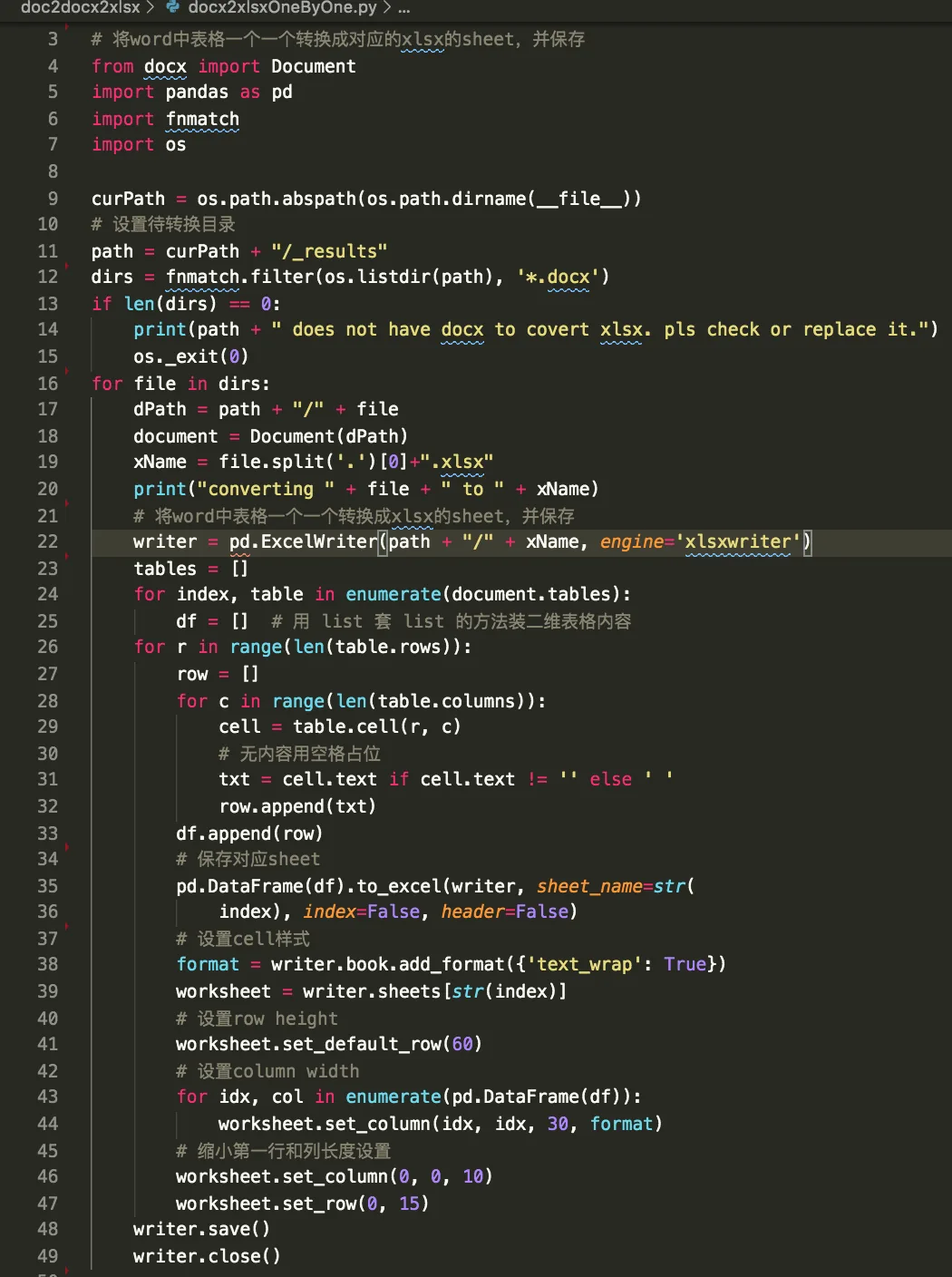
Full scripts: NewbMiao/free-hands-tips
Two examples in the repo:
docx2xlsx— one Excel file per Word dochtml2xlsx— merge HTML tables into one workbook, one sheet each
On a Mac, AppleScript is underrated: once you’re comfortable with it, a lot of repetitive work goes away.
References:
Questions? Leave a comment below or email: newbvirgil@gmail.com