Contents
I put together a small Keycloak auth demo so folks who’ve never touched Keycloak can see the moving parts without drowning in docs.
Goes with the Keycloak demo above: authentication vs authorization, OAuth2, OpenID Connect, JWT, JWKS—and where each shows up in that code.
Authentication vs authorization
English lumps both under “auth.” Split them anyway: authentication (AuthN) — who are you? authorization (AuthZ) — what may you do?
- Authentication (
AuthN): prove identity—password, one-time code, token, and so on. - Authorization (
AuthZ): decide what that identity can access.
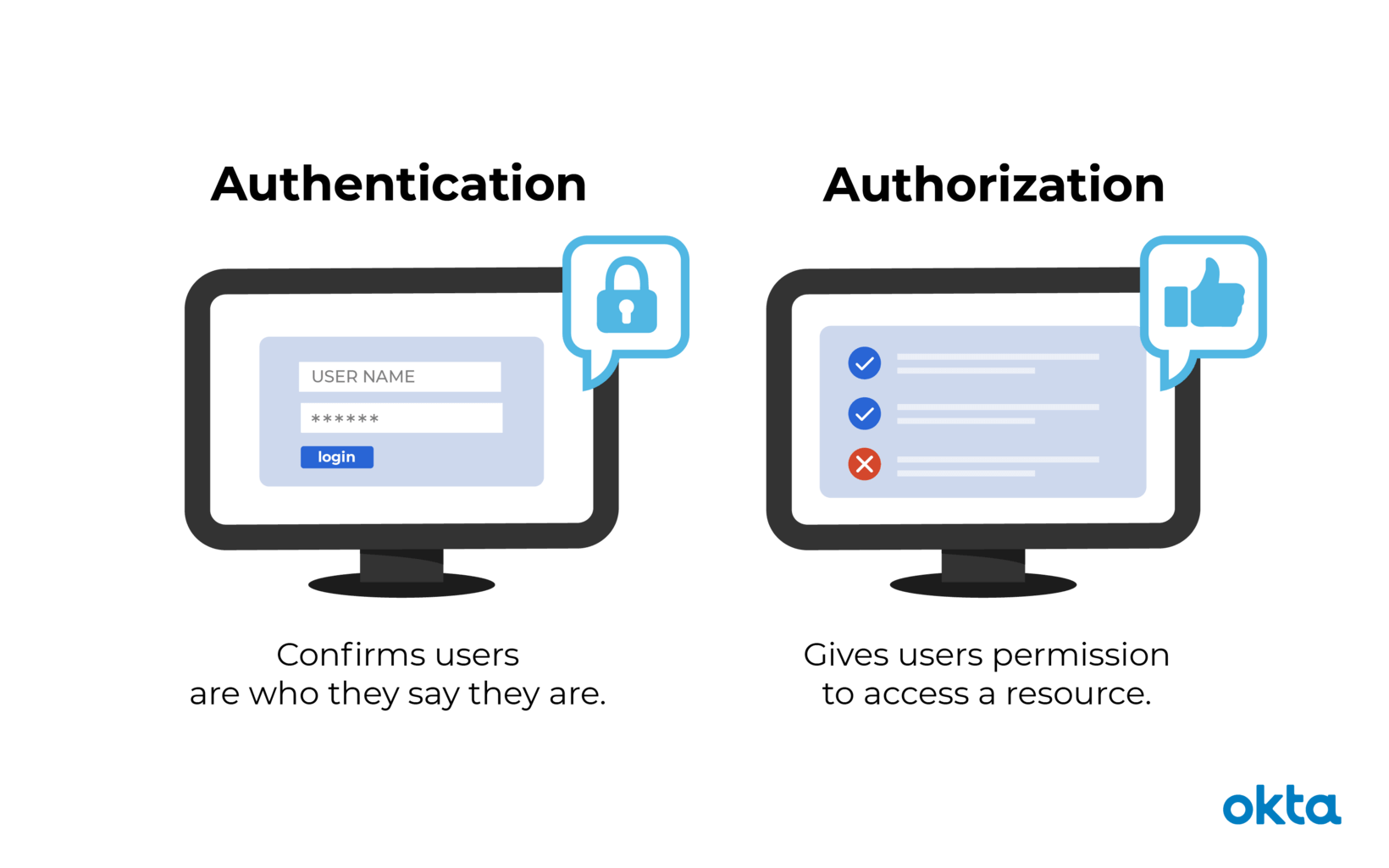
Concrete example:
You ask a friend to feed your pet. You give them a one-time key for the building (authentication). Once inside, they may only reach the kitchen and living room—not every room (authorization).
OAuth2
OAuth2 is an authorization framework. It defines flows for clients to obtain an access token, for example:
Authorization code
Registeredclient_idandclient_secret.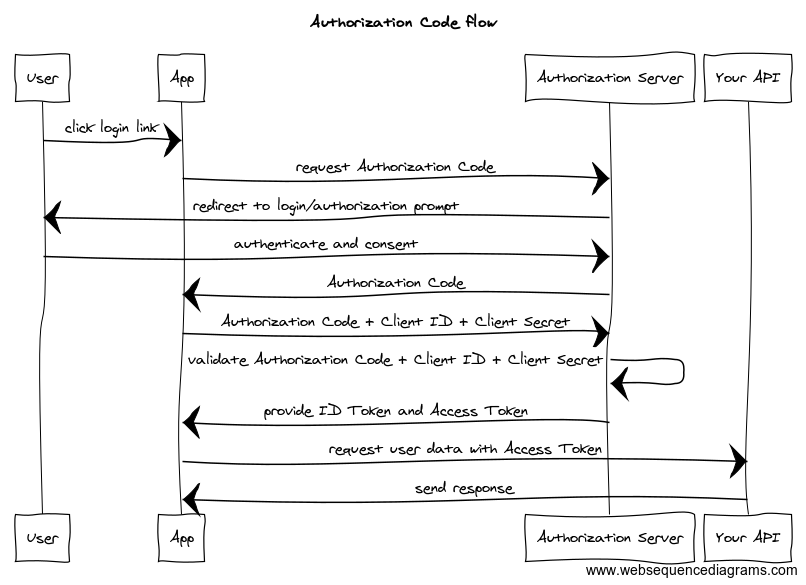
Implicit
Drops the code step, loosens client checks, trades security for convenience—deprecated; don’t use for new work.Authorization code with PKCE
client_idplus a one-time code challenge (a disposable secret that can’t be swapped mid-flight).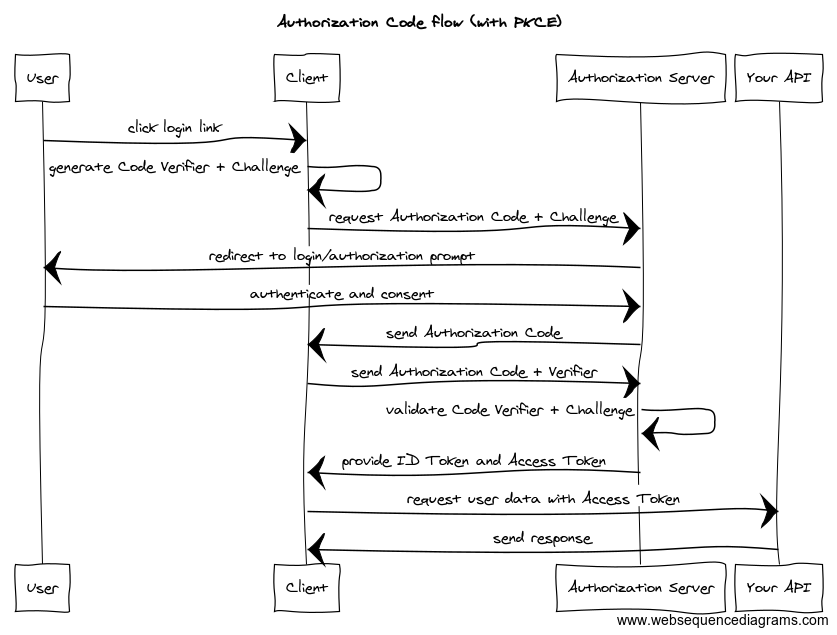
Why bother?
Same pet-sitting story: you don’t hand over your house password. You want a mechanism that grants limited, temporary access to a delegate.
OpenID Connect (OIDC)
OIDC adds an authentication layer on top of OAuth2. An ID token lets clients identify the end user.
It’s the default choice for login in most greenfield apps—and there are libraries everywhere.
JWT and JWKS
Access tokens and ID tokens in OIDC are usually JSON Web Tokens (JWTs).
A JWT has three dot-separated, Base64URL-encoded parts:
- Header — algorithms (
alg), key id (kid), type, etc. - Payload — issuer (
iss), expiry (exp), issued-at (iat), and custom claims (roles, subject, …). Paste a token into jwt.io to inspect it. - Signature — over header + payload so tampering is detectable.
Verification uses the issuer’s public keys. JWKS (JSON Web Key Set) publishes them; you match kid from the header and resolve iss via OpenID discovery:
In the demo:
- Issuer (
iss):http://localhost/auth/realms/myrealm - Discovery:
http://localhost/auth/realms/myrealm/.well-known/openid-configuration - JWKS URI:
http://localhost/auth/realms/myrealm/protocol/openid-connect/certs
Keycloak
Back to the demo: Keycloak is open-source IAM—“identity and access management for modern apps.”
It implements OAuth2, OpenID Connect, and SAML for SSO, and plugs into many identity providers (OIDC/SAML IdPs, GitHub, Google, …).
The demo focuses on auth mechanics:
- Get a token — browser client uses PKCE (recommended) to obtain an
access_token. - Validate a token — verify the JWT signature with public keys from the issuer’s JWKS.
Offline validation only tells you the token was signed correctly and hasn’t expired locally. For revocation and live session state, token introspection on the auth server is the safer check.
The web UI is React (@react-keycloak/web for login; Open Policy Agent for signature verify in the demo—for fun, not as a production pattern). nginx reverse-proxies to dodge CORS during local play.
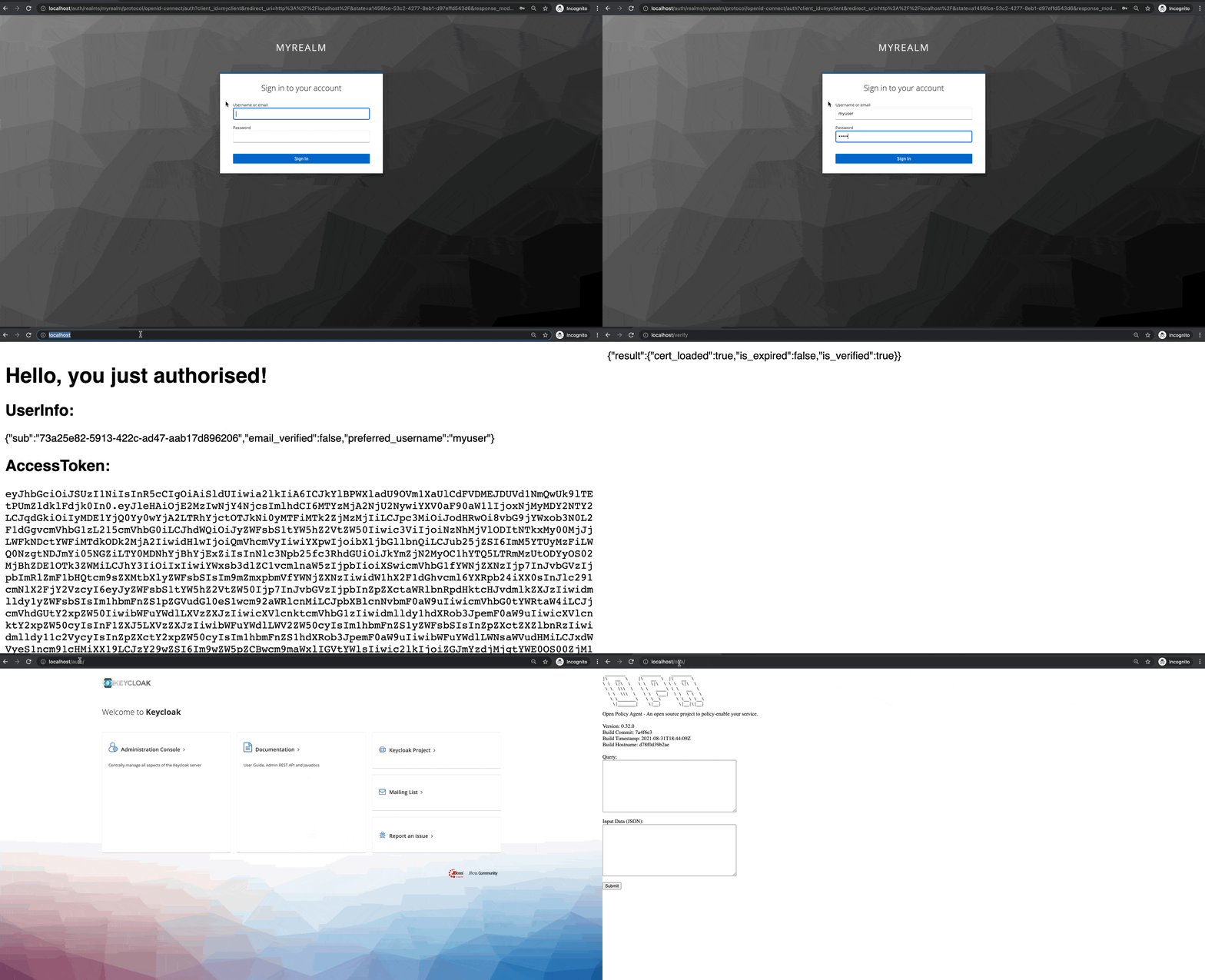
Repo: https://github.com/NewbMiao/keycloak-authN — README + one-command bootstrap.
Questions? Leave a comment below or email: newbvirgil@gmail.com