Contents
OPA (Open Policy Agent) is a policy engine written in Go. Its Rego language is declarative, general-purpose, and unpleasantly good at expressing rules you used to spell out in application code.
In April 2019 OPA joined the CNCF as an incubating project (announcement). English-language material was thinner then than it is now; I kept running into OPA at work and wrote this series to pay that forward.
If you’re picking a policy engine, OPA belongs on the short list.
What is OPA?
The official framing is in the OPA philosophy docs. The bullets that stuck with me:
- Lightweight, general-purpose policy evaluation
- Can live alongside your services
- Deploy as a sidecar, a host daemon, or an embedded library
Slides and diagrams only go so far. Torin Sandall’s talk is worth an hour:
OPA: The Cloud Native Policy Engine - Torin Sandall, Styra
(No YouTube? Bilibili mirror.)
Why people bother
- Declarative policies — context-aware, expressive, fast, portable
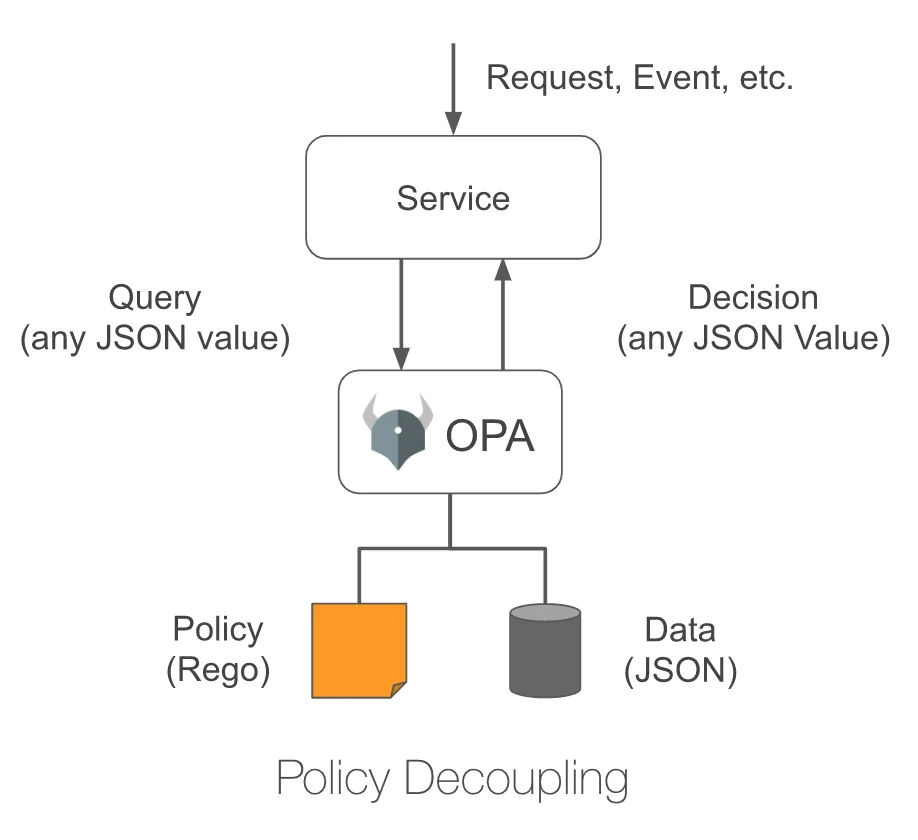
- Any shape of input and output — JSON in, JSON out; Rego does the middle
- Policy decoupled from systems — your app asks a question; OPA answers
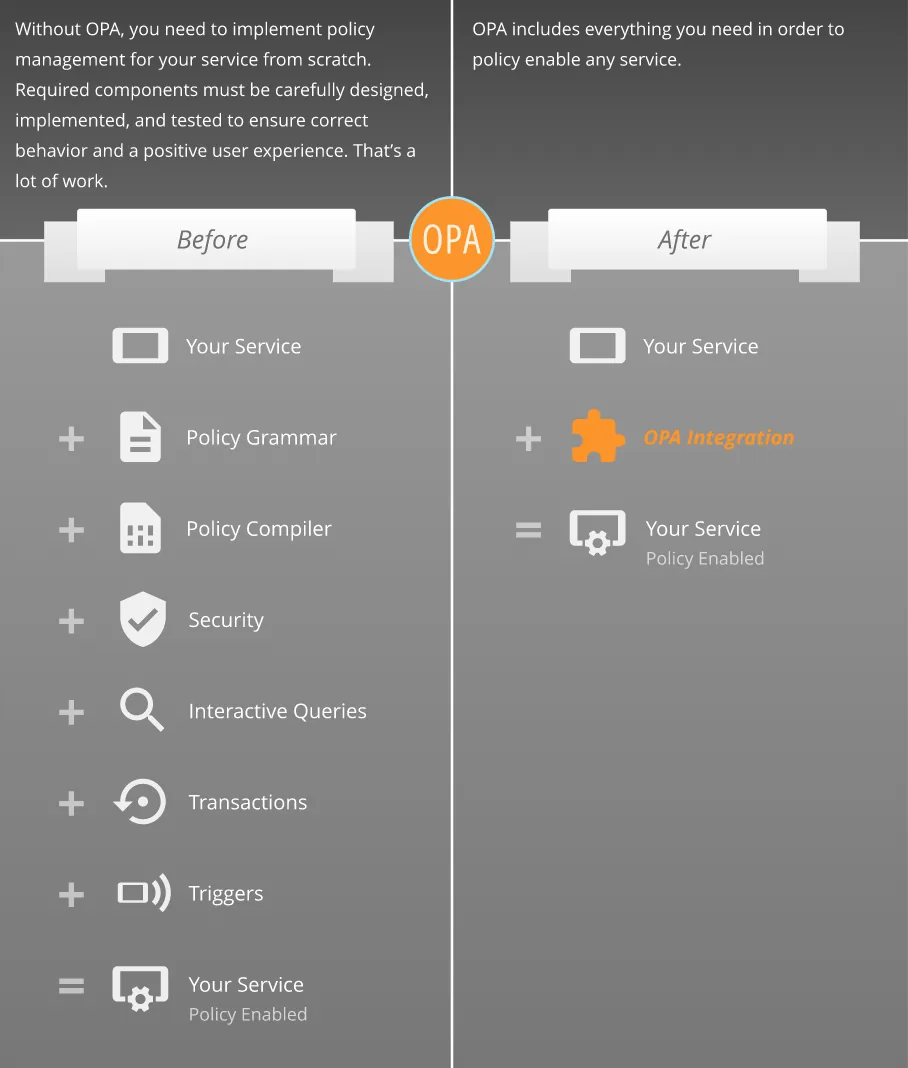
- Several integration styles — long-running daemon or Go library
- Fast decisions — rule indexing and partial evaluation push work out of the hot path
- Wide adoption — authz, Kubernetes admission, Terraform, Docker, Kafka, SQL, host policy, …
- Solid tooling — CLI, REPL, tests, profiling, vscode-opa, Playground
RBAC below makes the Rego rules concrete.
An RBAC example
Role capabilities and user bindings live in data.json:
1 | // data.json |
A request arrives:
1 | // input.json |
Your reflex might be nested loops in whatever language you ship. OPA’s pitch is different: describe the rule, let the engine search.
Runnable Playground: RBAC example
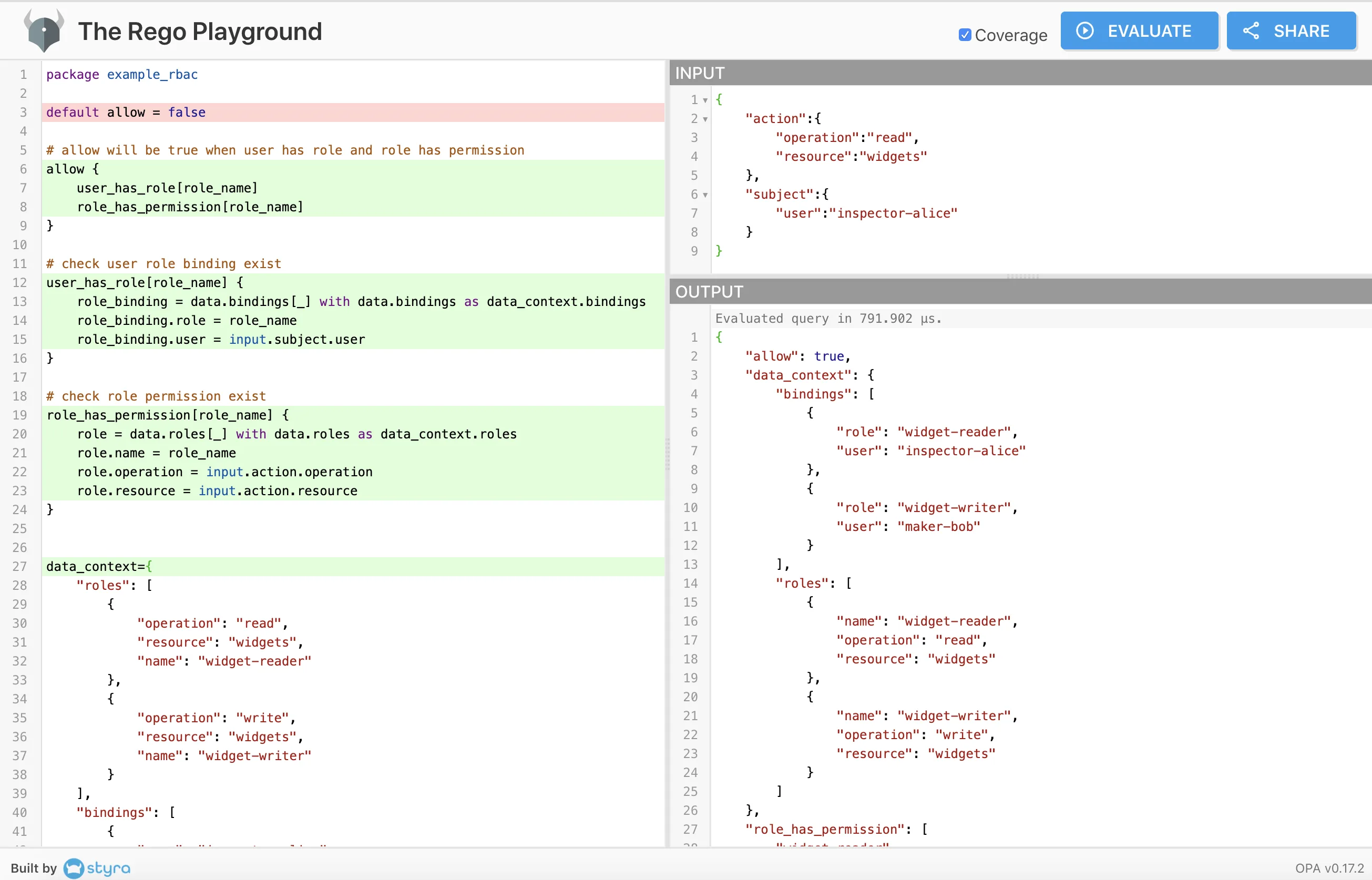
Ignore syntax for a second. The policy says:
The user has a role, and that role may perform the action on the resource.
Rego basics
Rego builds on Datalog. Handful of constructs you’ll see everywhere:
| Construct | Example |
|---|---|
| Context data | data |
| Request input | input |
| Index / field access | data.bindings[0] |
| Comparison | "alice" == input.subject.user |
| Local binding | user := input.subject.user |
| Rule | < Header > { < Body > } |
| Rule head | < Name > = < Value > { ... } or < Name > { ... } |
| Rule body | Conjuncts (logical AND) |
| Same rule name, multiple heads | Disjuncts (logical OR) |
| Default | default allow = false |
| Function | fun(x) { ... } |
| Virtual document | doc[x] { ... } |
Functions and virtual documents get their own post. For now, rules only.
Input hangs off input. Context (static policy data) hangs off data.
Rules
When you define a rule:
- It always produces a value.
< Name > { ... }— undefined means false for booleans; defined means true.< Name > = < Value > { ... }— returns< Value >.
- Every line in the body must succeed (AND).
- Multiple rules with the same name are OR’d; one success is enough.
allow defaults to false. It becomes true only when user_has_role and role_has_permission agree on the same role_name.
You’ll notice role_name was never declared. Rego lets you use locals inline; just remember globals with the same name can clobber you. When in doubt, some role_name.
1 | default allow = false |
user_has_role[role_name] isn’t a rule — it’s a virtual document (a relation you can query).
1 | # check user role binding exist |
On the Playground you’ll see
with:role_binding = data.bindings[_] with data.bindings as data_context.bindings. That swaps context data when you can’t loaddata.jsonseparately.
role_binding = data.bindings[_] walks the bindings array — Python-style iteration. Assign one element, run the body, repeat.
_ is the throwaway variable (like Go’s _).
role_binding.role = role_name isn’t a typo for ==.
Unification
Rego’s = is unification: bind variables until both sides match. := and == are sugar so assignment and comparison read clearly and fail loudly.
That makes = feel like query, not imperative code — which is the point.
1 | [x, "world"] = ["hello", y] |
That’s the tour: what OPA is, and a tiny RBAC policy in Rego.
Next up: local dev with the CLI and VS Code. Until then, poke at the Playground.
Deeper reference: Rego policy language
Code for this post: NewbMiao/opa-koans/quick-start
Questions? Leave a comment below or email: newbvirgil@gmail.com